
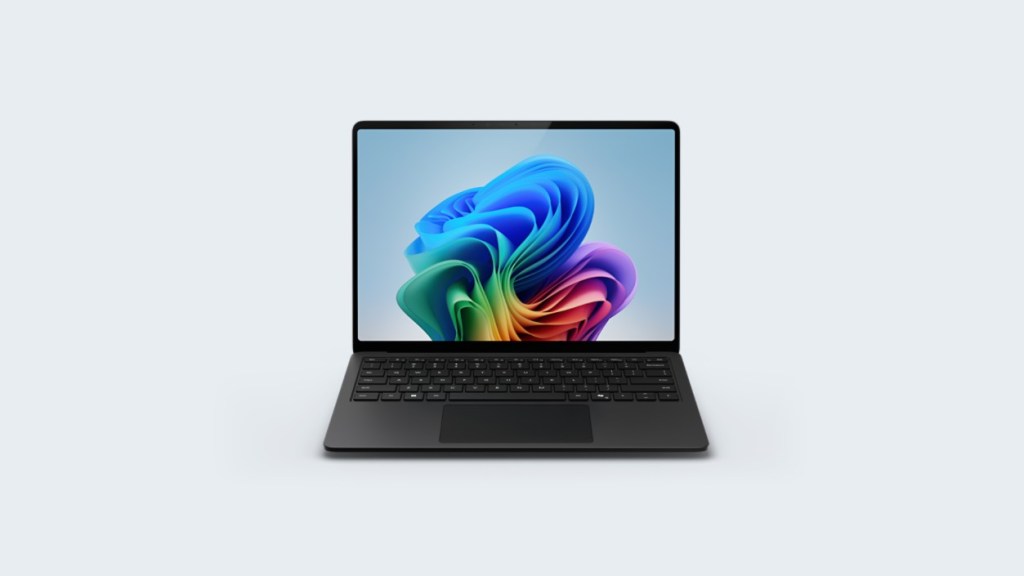
I’ve been using the 13.8-inch Surface Laptop 7 with the Snapdragon X Elite for about six months now. I paid £999, which was the best balance of price and performance I could find at the time. Overall, it’s been a really good everyday laptop—with one old printer that has caused me a proper headache.
Brilliant battery life, and easy to take anywhere
The battery has been one of the best parts of owning it. I don’t find myself constantly hunting for a socket, and the compact size makes it easy to put in a bag and take with me. If you travel or just like having a laptop that doesn’t feel like a chore to carry around, that small form factor makes a real difference.
More than enough speed for everyday use
The Snapdragon X Elite has been more than fast enough for the sort of everyday computing I do. I’ve got 16GB of RAM, and so far that feels like plenty. The laptop feels quick and responsive, and I haven’t had a moment where I’ve wished I’d bought a more powerful model for my usual tasks.
So far, I also haven’t come across any software that won’t work. That’s only based on my first six months, though, so I’ll keep an eye on it as I use the laptop for longer. If you rely on a particular specialist app, it’s still worth checking that it works properly on a Snapdragon Windows laptop before buying.
A lovely screen, even if I barely use the touchscreen
The 120Hz screen makes scrolling feel really smooth, and the colours look great. It’s good enough for the light photo and video editing I do, too. The touchscreen is a nice extra, but if I’m honest, I don’t find myself using it very often. I’m glad it’s there; it just hasn’t become something I rely on.
The keyboard and trackpad are standouts
I really like the keyboard. In fact, I prefer it to the one on my MacBook Pro M5. The MacBook keys can feel a bit harsh to me when they bottom out, while typing on the Surface feels more comfortable. That’s personal preference, of course, but it’s made a difference because I spend a lot of time typing.
The trackpad is good as well, and the haptic feedback feels great. It’s one of those details that makes the laptop feel nicely put together without needing to make a big song and dance about it.
USB-C charging is handy
The Surface comes with its own charger connector, but you can charge it through USB-C too. That’s what I use, and it’s very convenient. When I’m travelling, being able to use a USB-C charger I already have is one less thing to think about.
My old Sharp printer has been the headache
The one thing that hasn’t been straightforward is getting a driver set up for my aging Sharp MX-C301W printer. The Snapdragon X Elite is an Arm-based processor, so this model runs Windows 11 on Arm64. That’s the reason the printer has been awkward: Windows can emulate many older apps, but printer drivers need to be made for Arm64 and can’t be emulated. Microsoft explains this in its Windows on Arm FAQ. The basic driver I tried wasn’t good enough for what I needed, so finding a suitable one has taken more effort than I expected.
If you’re thinking about a Snapdragon laptop and depend on an older printer, I’d check that a suitable driver is available before you make the jump. The rest of my software has been fine so far, but this is the sort of compatibility detail that’s easy to overlook.
Would I recommend it?
After six months, I’m very happy with the Surface Laptop 7 for everyday use. The battery life is brilliant, it’s easy to take with me, it feels fast, and the keyboard is excellent. I paid £999, and at that price it felt like a really good balance of performance and cost.
It isn’t perfect for every setup: the touchscreen hasn’t become a big part of how I use it, and my Sharp printer has been a pain to sort out. But as a compact, capable laptop for day-to-day computing, it’s been a strong buy for me. I’ll update this if I run into any other software or driver issues as the months go by.
My quick verdict
For my everyday use, the Surface Laptop 7 has been a great buy: excellent battery life, a comfortable keyboard and more than enough speed. I’d recommend it to someone who wants a capable laptop that’s easy to carry. If you rely on an older printer or specialist kit, check for an Arm64 driver before buying.
Your turn
What matters most to you in a laptop: battery life, a good keyboard or compatibility with the kit you already own? Let me know in the comments.
If you’re also looking for practical ways to protect your accounts, read my simple guide to staying safer online.
Check current price
This review is based on my own six months with the 13.8-inch Surface Laptop 7, Snapdragon X Elite and 16GB of RAM. I bought mine for £999. For current availability and configurations, check Microsoft’s 13.8-inch Surface Laptop 7 page and select the Snapdragon X Elite and 16GB memory options. Prices and stock can change.

